Organization Profile
Use this page to correct or update your organisation's registration details at any time. For example, you can fix a typing mistake in the billing address, change the contact person, or update your organisation's name after a rebrand.
Where to find it: Console menu, Organization Profile.
Who can use it: any Tenant Admin of your organisation. It is not tied to the person who first registered it. If that person leaves, another Tenant Admin can carry on. Other roles do not see this menu item.
Your sign-in details are not on this page
Your username, password and login email belong to your own sign-in account. Each person changes those in their own account, not here. Changing the organisation contact below does not change anyone's sign-in.
Open the page
- Select Organization Profile in the console menu.
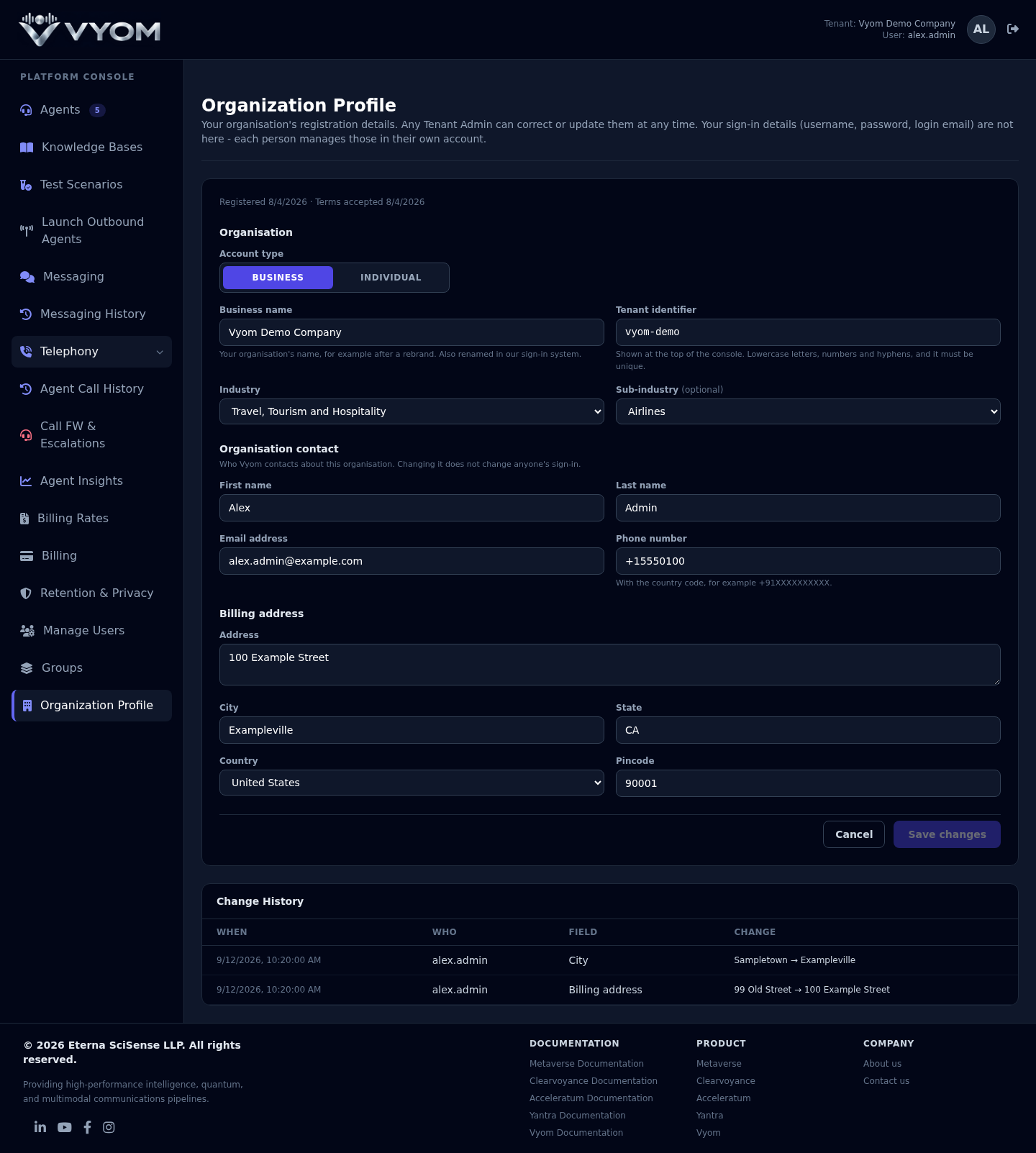
- The page shows your current details. The Save changes button stays off until you change something.
The fields
Organisation
| Field | What to enter |
|---|---|
| Account type | Business for a company, or Individual. Switching to Individual removes the business name. Switching to Business asks for one. |
| Business name | Your organisation's name. Shown for Business accounts only. |
| Tenant identifier | A short unique name shown at the top of the console. Use lowercase letters, numbers and hyphens, for example vyom-demo. |
| Industry | The industry you work in. |
| Sub-industry | Optional. Choose one that fits your industry. |
Organisation contact
Who Vyom contacts about your organisation.
| Field | What to enter |
|---|---|
| First name, Last name | The contact person's name. |
| Email address | The contact person's email. |
| Phone number | With the country code, for example +91XXXXXXXXXX. |
Billing address
| Field | What to enter |
|---|---|
| Address | Your billing street address. |
| City, State | Your billing city and state. |
| Country | Choose from the list. |
| Pincode | The postal code. It must be valid for the country you chose. |
Change your details
- Change any fields you need. Only the fields you change are saved.
- Select Save changes.
- A green message says Profile updated. The change is shown in the Change History at the bottom of the page.
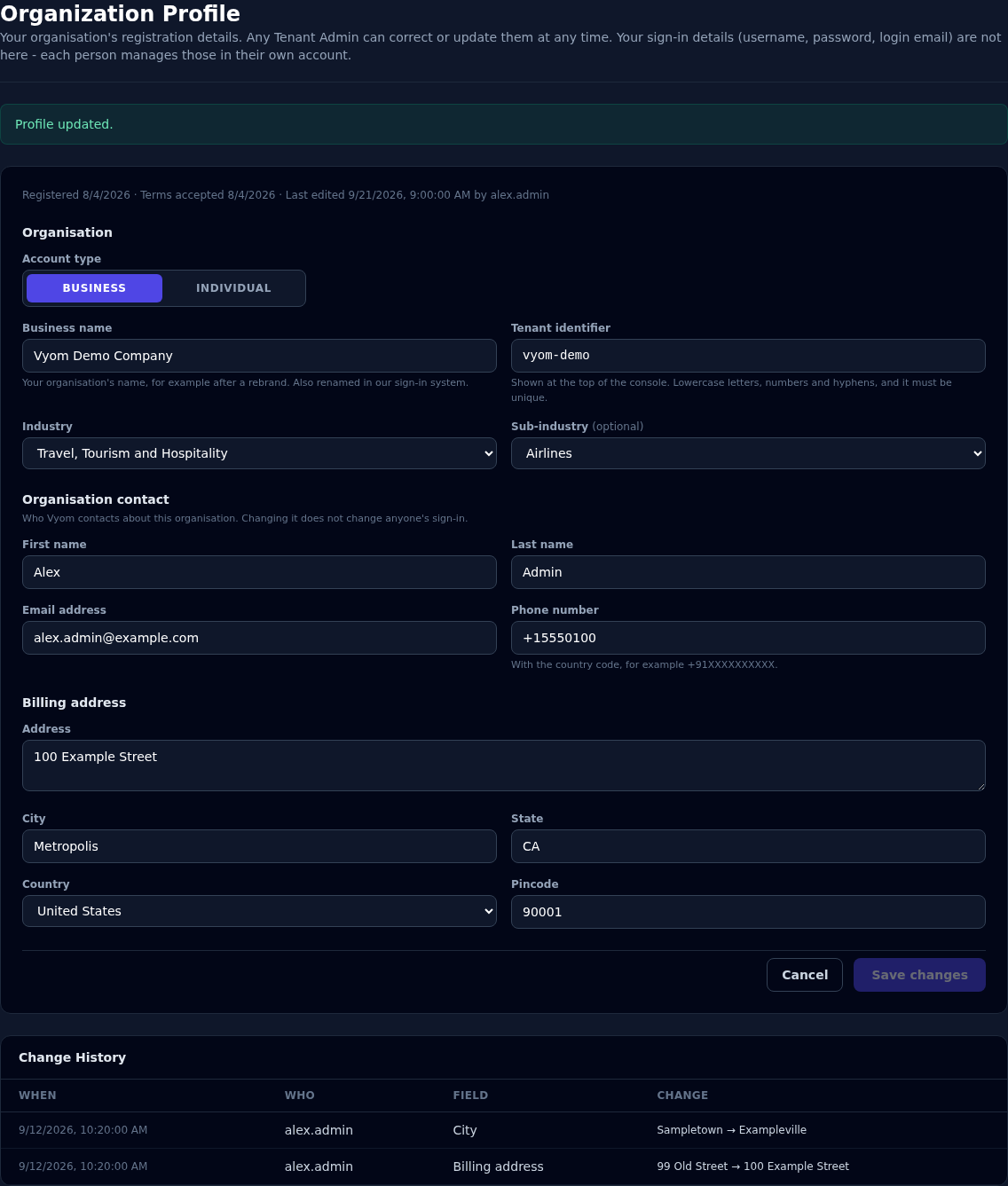
To undo edits you have not saved yet, select Cancel. The page goes back to the saved values.
Rename your organisation after a rebrand
- Change the Business name.
- If you also want a new identifier, change the Tenant identifier.
- Select Save changes.
Two things are updated when you change the business name: the name in Vyom, and your organisation's name in our sign-in system. If the name is already registered by someone else, nothing is changed and you see a message next to the field.
Which name appears at the top of the console
The console shows your Tenant identifier at the top, not your business name. Change the identifier if you want the top of the console to show a new name.
Change your industry
Choose a new Industry. The Sub-industry is reset because sub-industries belong to one industry. Some analytics are specific to an industry, so changing it can change what you see there.
Switch between Business and Individual
Select Business or Individual at the top of the form. An Individual account has no business name, so the field is hidden and the name is removed when you save. A Business account needs a business name.
Change History
Every change is recorded, showing when, who, which field, and the old and new value. Use it to see who changed a detail and what it was before.
What you cannot change here
| Item | Where it is managed |
|---|---|
| Username, password, login email | Each person's own sign-in account |
| Terms acceptance | Shown for reference only |
| Who has the Tenant Admin role | Manage Users & Groups |
Make sure your organisation has more than one Tenant Admin
Vyom does not let you change the last remaining Tenant Admin of an organisation to a lower role, so an organisation always has one. Before a Tenant Admin leaves your company, give another person the Tenant Admin role in Manage Users & Groups.
If something goes wrong
| What you see | What it means and what to do |
|---|---|
| The Organization Profile menu item is missing | Your role is below Tenant Admin. Ask a Tenant Admin to change your role. |
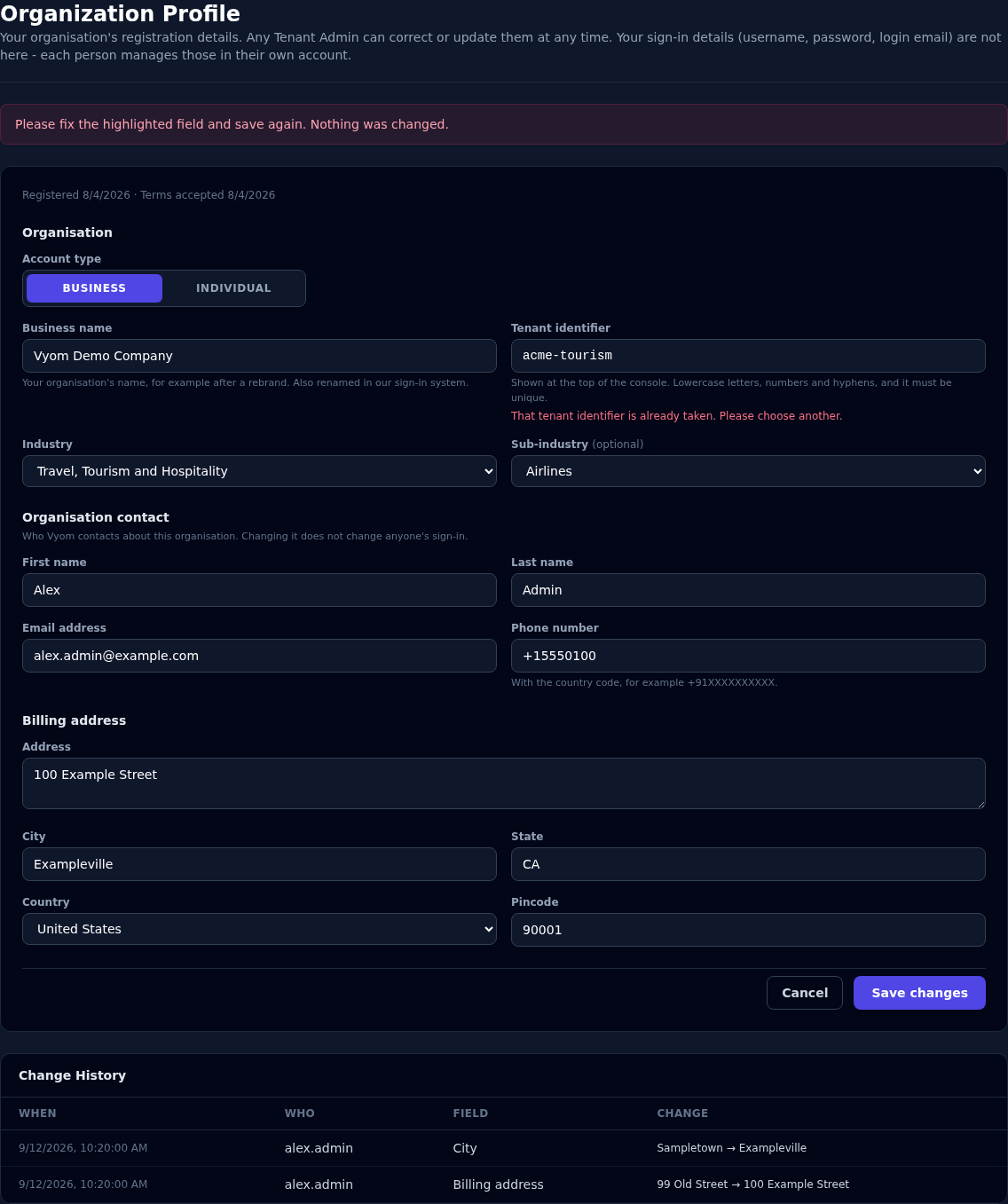
| "That tenant identifier is already taken." | Another organisation uses that identifier. Choose a different one. |
| "That organization name is already registered." | Another organisation uses that business name. Choose a different name, or contact support if it is yours. |
| "Pincode is not valid for the selected country." | Check the postal code and the country. |
| "Business name is required for a Business account." | Enter a business name, or switch the account type to Individual. |
| "Sub-industry is not valid for the selected industry." | Choose a sub-industry from the list for your industry, or leave it empty. |
| "Could not update your organization with our identity provider." | Nothing was changed. Try again in a moment. |
| A banner says your organization has no profile yet | Your organisation was set up automatically, so it has no registration details on record. Fill in the fields and select Save changes. |
| Save changes stays greyed out | Nothing has changed yet. Edit a field first. |