Telephony and Call Direction
Two tabs connect your agent to the phone network. Telephony shows which phone numbers the agent uses. Outbound / Inbound Setup says whether the agent answers calls, makes calls, or both.
Where to find it: Agent Builder, Telephony tab and Outbound / Inbound Setup tab.
Telephony: which numbers the agent uses
The Telephony tab is read-only. It lists the phone numbers this agent answers or dials from.

Each row shows a number, the phone provider it goes through, and a label: Inbound (the agent answers calls to that number) or Outbound (the agent's calls go out from that number).
You do not set numbers here. Select Go to Telephony Settings to add or change them. See Configuring and Managing Telephony.
If the list says the agent is not yet assigned to any phone number, it cannot take real phone calls yet. Add a dispatch rule for an inbound number, or assign an outbound number, in Telephony Settings.
Save the agent first
This tab says "Save this agent first" until the agent has been saved once.
Outbound / Inbound Setup
An agent handles either inbound calls or outbound calls. Choose one at the top of the tab, under Agent Call Direction.
| Choice | Use it for |
|---|---|
| Inbound Call Handling | Customers call you and the agent answers. |
| Outbound Dialing | The agent calls your customers. |
The section you did not choose is greyed out.
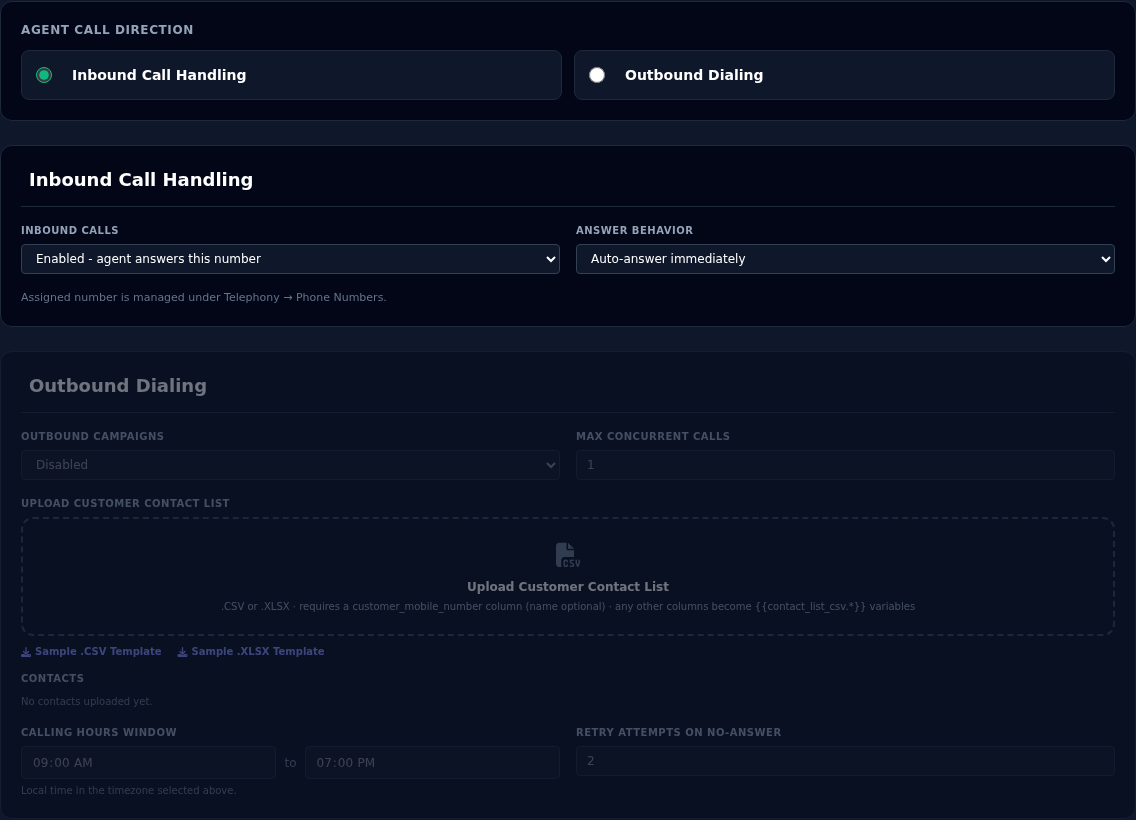
Inbound settings
| Setting | What it does |
|---|---|
| Inbound Calls | Enabled: the agent answers calls to its number. Disabled: it does not. |
| Answer Behavior | Auto-answer immediately, or Ring for 3s, then answer. |
Ring for 3 seconds is not applied yet
The Answer Behavior choice is saved with the agent, but Vyom does not use it yet. The agent answers straight away either way.
For an inbound agent to answer a call:
- The agent's status must be Active.
- Inbound Calls must be Enabled.
- A phone number must be set up to send calls to it, in Telephony Settings.
The number is managed under Telephony, Phone Numbers in the console menu.
Outbound settings
| Setting | What it does |
|---|---|
| Outbound Campaigns | Enabled makes the agent available to be launched for outbound calls. Leave it Disabled until you are ready. |
| Max Concurrent Calls | How many calls the agent makes at the same time. Start with 1. Your phone provider may limit this. |
| Upload Customer Contact List | The people to call. A .csv or .xlsx file. |
| Calling Hours Window | Intended hours to call, in the agent's timezone. |
| Retry Attempts on No-Answer | Intended number of retries. |
Calling hours and retries are not applied yet
These two settings are saved but not yet used to limit or repeat calls. See Launching Outbound Agents.
The full steps for the contact list, schedules and events are in Launching Outbound Agents.
If something goes wrong
| What you see | What it means and what to do |
|---|---|
| "Not yet assigned to any phone number" | Add a dispatch rule or outbound number in Telephony Settings. |
| Callers reach the wrong agent | Check which agent each number is set to in Telephony Settings. An agent should have its own number. |
| The agent does not answer | Check it is Active, Inbound Calls is Enabled, and the direction is Inbound Call Handling. |
| The agent is missing from the launch pages | Set Outbound Campaigns to Enabled and the status to Active. |