Messaging History
Messaging History is a record of every email and WhatsApp message your agents sent. Use it to check that a customer got their confirmation, to find out why a message failed, and to keep a record for audits.
Where to find it: Console menu, Messaging History.
Who can use it: Tenant Supervisor and above. It is read-only: you can look, but not change or resend anything.
The list
Choose Email or WhatsApp at the top. Each channel has its own list, newest first, with 25 messages per page.
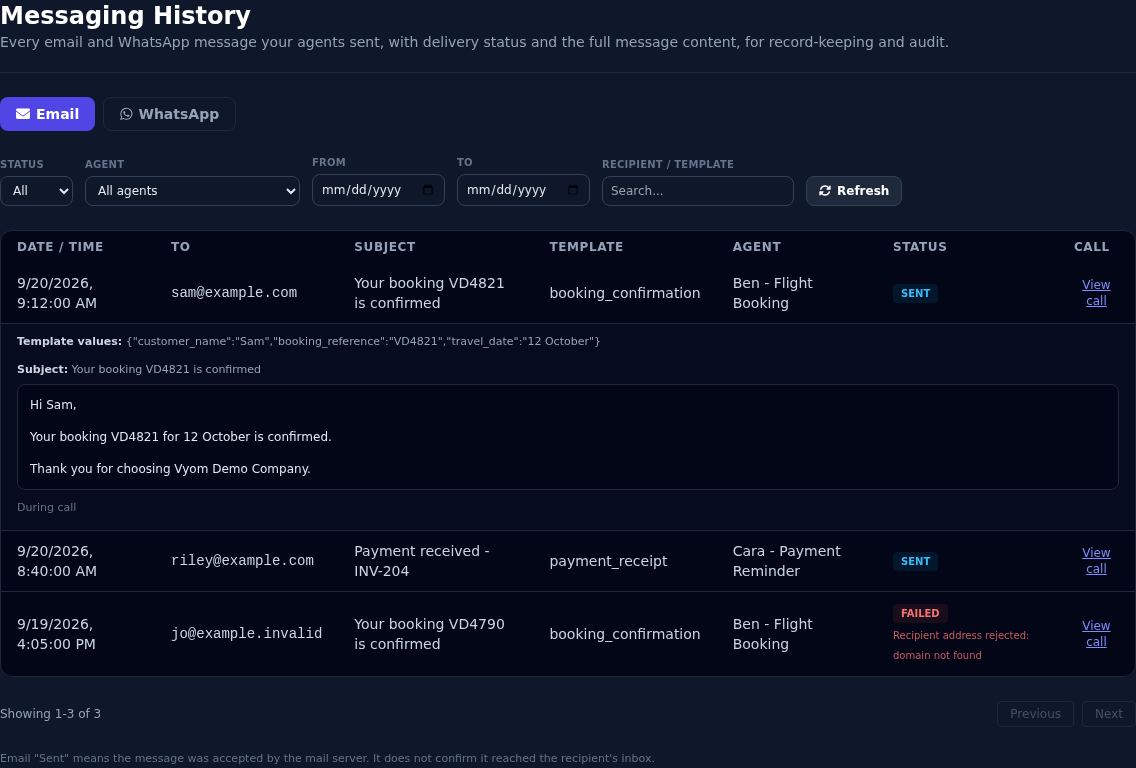
| Column | What it shows |
|---|---|
| Date / Time | When the message was sent, in your local time. |
| To | The email address, or the WhatsApp number. |
| Subject (email) | The subject line. |
| Template | The template that was used. |
| Agent | The agent that sent it. |
| Sent when (WhatsApp) | During call, No-answer follow-up, or Auto-reply. |
| Status | See below. |
| Call | View call opens the call in Agent Call History. |
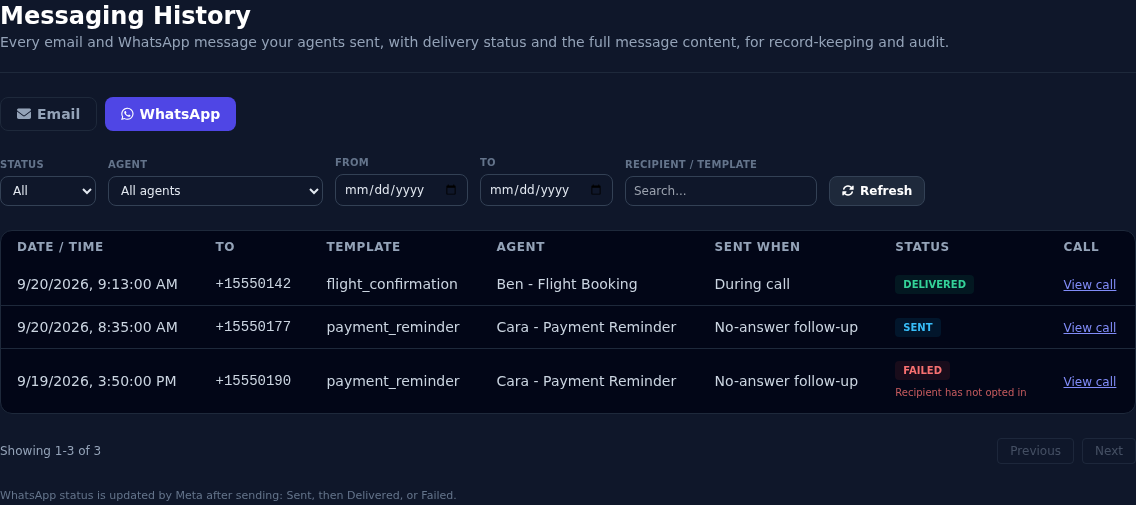
Status
| Status | ||
|---|---|---|
| Sent | The mail server accepted the message. This does not prove it reached the inbox. | Vyom sent it to WhatsApp. |
| Delivered | Not used. | WhatsApp confirmed it reached the customer's phone. |
| Failed | The message could not be sent. The reason is shown under the status. | Same. |
WhatsApp statuses update by themselves as WhatsApp reports back. This needs the webhook set up. See WhatsApp.
Read a message
Select any row to open it.
- Email: the subject, the full message text, and the template values that were filled in.
- WhatsApp: the template name, the full message text, and the template values.
- Failed messages: the failure reason.
- At the bottom: why it was sent (during a call, no-answer follow-up, or auto-reply).
For an older WhatsApp message, the text may be rebuilt from the current template. Vyom then says so, because the wording may differ if you edited the template since.
Filter and search
| Filter | What it does |
|---|---|
| Status | All, Sent, Delivered (WhatsApp), or Failed. |
| Agent | Only messages sent by one agent. |
| From and To | A date range. |
| Recipient / template | Search by address, number or template name. Press Enter to search. |
Select Refresh to reload the list. Use Previous and Next to move between pages.
Messages for one call
Agent Call History can link to the messages sent during a call. When you arrive that way, a banner says Showing messages from one call only. Select Show all to see everything again.
How long messages are kept
Messages are kept for the period set in your Retention & Privacy settings, and are then removed. See Retention & Privacy. A Tenant Admin can also erase everything about one customer on request.
If something goes wrong
| What you see | What it means and what to do |
|---|---|
| "You do not have permission to view Messaging History." | You need the Tenant Supervisor role or above. |
| The list is empty | No messages match. Clear the filters. Check the other channel. |
| A message is Failed | Open the row to read the reason. Fix the cause, such as a wrong address, or a template that is not approved. |
| An email is Sent but the customer did not get it | Sent only means the mail server accepted it. Ask the customer to check their spam folder. |
| A WhatsApp message stays Sent | The webhook is not set up, or the customer's phone is off. See WhatsApp. |
| "Could not find this call in Agent Call History" | The call may be filtered out there, for example a test call. |